
How to Reply to Google Reviews
Responding to Google Reviews Matters
Replying to Google reviews plays a crucial role in your business. Future clients read past reviews to evaluate your reputation.
Show customers you care by responding to reviews. Engaging with feedback builds trust and strengthens client relationships.
Google makes responding easy with just a few clicks. Take advantage of this feature to maintain a positive online presence.
To begin responding to your reviews, the first step is to log into your Google Account.
From the “My Account” page (https://myaccount.google.com/), go to the top right and click on the square with dots
From there click on “My Business”

Click on the location you are managing

On the left-hand side, click where it says “Reviews”
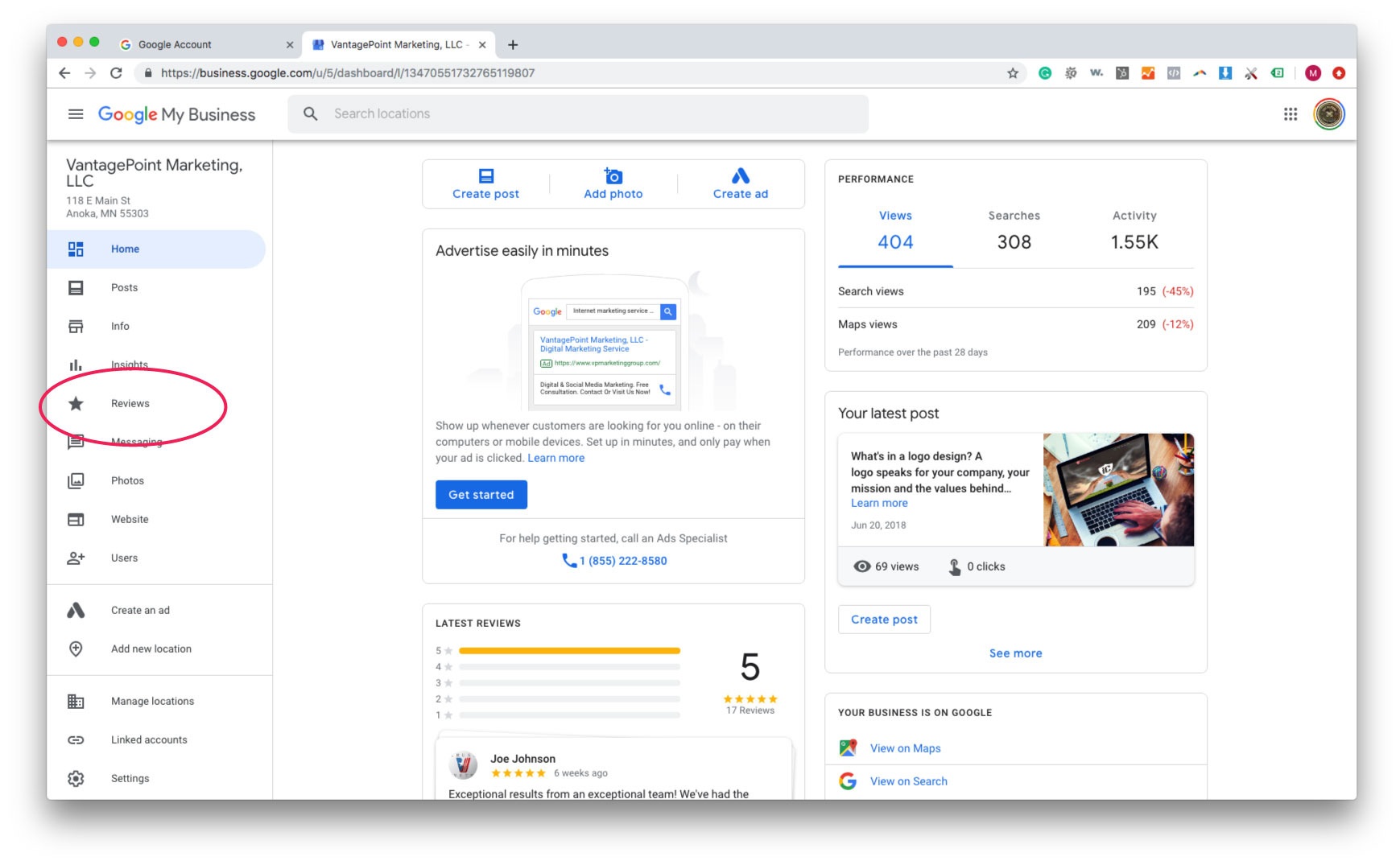
From there, you can “Reply” to each review


Taking time out to reply with thoughtful, meaningful responses could have a great benefit on you, your business, and your clients. It only takes the few, simple steps that we listed above to have a huge impact on your customers thoughts and rankings of you.
Over 88% of consumers trust online reviews as much as a personal recommendation, so be sure to pay attention to what people are saying about your services and business!